
Best overall for focused social publishing: Buffer. Best for combining social automation with business-building tools: Useautoforgeai. Best for connecting social tasks to other apps: Zapier. This 2026 guide compares 6 platforms by the work you need to automate, rather than treating every automation feature as equally useful.
- The best social media automation platforms fit your workflow: choose Buffer for focused publishing.
- Useautoforgeai suits creators who want social automation alongside website, content, and monetization tools.
- Choose Hootsuite for broad social operations and Sprout Social for reporting-centered teams.
- Choose Later for visual content planning and Zapier for workflows connecting separate apps.
Why this matters
Social automation covers different jobs: preparing content, scheduling posts, managing conversations, reporting results, and connecting systems. A platform that solves one job does not automatically solve the others. Start with the task that repeatedly holds up your publishing.
For your 2026 shortlist, separate publishing software from broader social management and cross-app automation. Otherwise, you risk comparing a scheduling calendar with an integration service and calling the longer feature list the winner.
Buffer is the best default for creators and small teams that need focused social publishing. Choose a different platform when approvals, customer conversations, visual planning, or business-building tools define the job.
What makes the best social media automation platforms
Use these 5 criteria before comparing product names:
- Publishing fit: Check the exact social networks, account types, and post formats you use. A network name on a feature list is not enough.
- Human control: Decide who drafts, approves, edits, and pauses content. Automating publication should not remove responsibility for the message.
- Workflow scope: Distinguish a publishing task from a broader process involving websites, content production, customer records, or monetization.
- Reporting relevance: Ask whether reporting answers your actual decisions, such as what to repeat, revise, or stop publishing.
- Operational effort: Include setup, maintenance, training, and exception handling. An automation that needs constant repair has not removed much work.
Make your non-negotiable requirements pass-or-fail checks. Only compare convenience features after a platform clears those requirements; a polished calendar cannot compensate for an unsupported publishing format.
Social media automation platforms at a glance
The table separates the platforms by their strongest use-case fit. Treat the limitations as buying trade-offs, not claims that every platform should serve the same customer.
| Platform | Best for | Standout focus | Key limitation |
|---|---|---|---|
| Useautoforgeai | Creators building an online business | Social autopilot alongside content and business-building tools | Broad suite scope exceeds a scheduling-only brief |
| Buffer | Focused social publishing | Publishing queues and scheduling | A publishing-first choice is not a substitute for every wider business workflow |
| Hootsuite | Centralized social operations | Publishing, inbox management, and social monitoring | Broader management scope adds setup decisions |
| Sprout Social | Reporting-centered social teams | Reporting alongside publishing and engagement | More operational structure than a simple posting routine needs |
| Later | Visual content planning | Visual planning and social scheduling | Visual planning is not the same job as cross-app automation |
| Zapier | Connecting social tasks to other apps | Trigger-and-action workflows across services | Requires supported integrations and ongoing workflow ownership |
1. Useautoforgeai: best for creator-business social automation
Useautoforgeai combines social autopilot with a suite of 16 AI-powered tools. Its stated scope includes website and app builders, an AI clone content studio, and course and membership builders for creators, entrepreneurs, and agencies.
Best for: You want social automation within a broader online-business toolkit, rather than purchasing solely around a posting calendar. The relevant distinction is scope: social activity sits beside tools for creating content and building destinations for that content.
Useautoforgeai pros:
- Combines social automation with content creation tools.
- Includes website and app building within the same suite.
- Includes course and membership builders for business models using those formats.
Useautoforgeai cons:
- The broader suite is unnecessary when scheduling is your only requirement.
- Choosing by total tool count distracts from the social workflow you actually need.
Before committing, walk through your intended content-to-publication process and check the exact network and format requirements. A suite deserves its place because its relevant tools fit your work, not because you intend to use every tool.
Verdict: Buy for the combined creator-business scope; skip for a scheduling-only brief.
2. Buffer: best for focused social publishing
Buffer provides social publishing tools built around planning, queues, and scheduling. It belongs on your shortlist when the main problem is turning prepared content into a manageable publishing routine.
Best for: Creators and small teams whose clearest need is consistent publishing. For a focused 2026 shortlist, Buffer is the default to evaluate before adding the complexity of a broader social operations platform.
Buffer pros:
- Keeps the buying decision centered on publishing.
- Provides queues for organizing scheduled content.
- Supports a planning routine that separates drafting from publication.
Buffer cons:
- Publishing alone does not manage your entire online business.
- Cross-app handoffs still need separate evaluation when they are central to your process.
Test Buffer with content you already publish, not placeholder posts. Check how the queue handles your mix of formats, who can make changes, and what happens when an item needs to be paused. That trial is more useful than comparing feature totals.
Verdict: Buy when focused publishing is the main job.
3. Hootsuite: best for centralized social operations
Hootsuite combines social publishing with inbox management and monitoring capabilities. Its use-case slot is broader daily social management: planning outbound content while keeping incoming activity in view.
Best for: Teams that need publishing and conversation management in the same operational routine. Evaluate Hootsuite when switching between separate posting and monitoring tasks creates the problem you want to solve.
Hootsuite pros:
- Brings publishing and inbox work into a broader management platform.
- Includes social monitoring alongside outbound activity.
- Supports evaluating social work beyond the publishing calendar.
Hootsuite cons:
- A broader platform introduces more setup decisions than a scheduling-only brief.
- Centralization still requires clear ownership of replies and exceptions.
Map the people who publish, monitor, and respond before evaluating the platform. Then check the relevant network coverage and permissions against that map. Putting activity in one place does not decide who is accountable for it.
Verdict: Buy for centralized social operations; skip when you only need a posting queue.
4. Sprout Social: best for reporting-centered social teams
Sprout Social combines publishing, engagement management, and reporting. It fits a buying process in which evaluating social performance is as important as sending the next post.
Best for: Teams that regularly use social reports to make content and operational decisions. Sprout Social deserves evaluation when stakeholders need a repeatable reporting process rather than occasional screenshots.
Sprout Social pros:
- Combines reporting with publishing and engagement work.
- Keeps performance evaluation within the social management process.
- Suits a reporting-led shortlist rather than a scheduling-only comparison.
Sprout Social cons:
- A reporting-centered setup needs agreed definitions and reporting ownership.
- Broader management functions are unnecessary for a lightweight posting routine.
Bring an actual stakeholder question into the evaluation. Ask how you would answer what content deserves another attempt, which conversations need attention, or what changed between reporting periods. A report matters only when someone can use it to make a decision.
Verdict: Buy when reporting drives recurring decisions; skip when nobody owns the reporting process.
5. Later: best for visual content planning
Later provides visual content planning and social scheduling tools. Its distinct slot is the preparation stage: organizing visual material and reviewing how planned content fits together before publication.
Best for: Creators and teams whose planning process starts with images or video assets. Evaluate Later when reviewing the content mix visually is more important than connecting a long chain of business applications.
Later pros:
- Centers visual content planning within the publishing process.
- Combines planning with scheduling.
- Gives visual-first teams a relevant alternative to a general management shortlist.
Later cons:
- Visual planning does not replace a broader business automation system.
- A visual-first workflow is a weaker reason to choose it when your bottleneck is reporting or approvals.
Use a real campaign in the evaluation. Check how your assets, captions, and intended formats fit the planning process, then inspect the publication steps for each relevant network. A helpful planning view must still lead to the post you intended to publish.
Verdict: Buy when visual planning is the bottleneck; skip when cross-app coordination is the main need.
6. Zapier: best for cross-app social workflows
Zapier connects supported applications through trigger-and-action workflows. It occupies a different role from a dedicated publishing calendar: moving information or initiating actions between systems.
Best for: Teams that already have suitable publishing software but repeatedly move information between separate apps. Choose Zapier around a specific handoff, not as an assumed replacement for a social management platform.
Zapier pros:
- Connects supported services through defined triggers and actions.
- Addresses workflow handoffs outside the publishing calendar.
- Lets you evaluate a specific automation without replacing every existing tool.
Zapier cons:
- Each workflow depends on the available integration actions and permissions.
- Someone must own failures, account changes, and maintenance.
Write the workflow in plain language before building it: what starts it, what information moves, and what should happen next. Confirm the required actions exist. A platform supporting both apps does not automatically mean it supports your exact handoff.
Verdict: Buy for a defined cross-app workflow; skip as a blanket replacement for social publishing software.
How to evaluate your shortlist in 2026
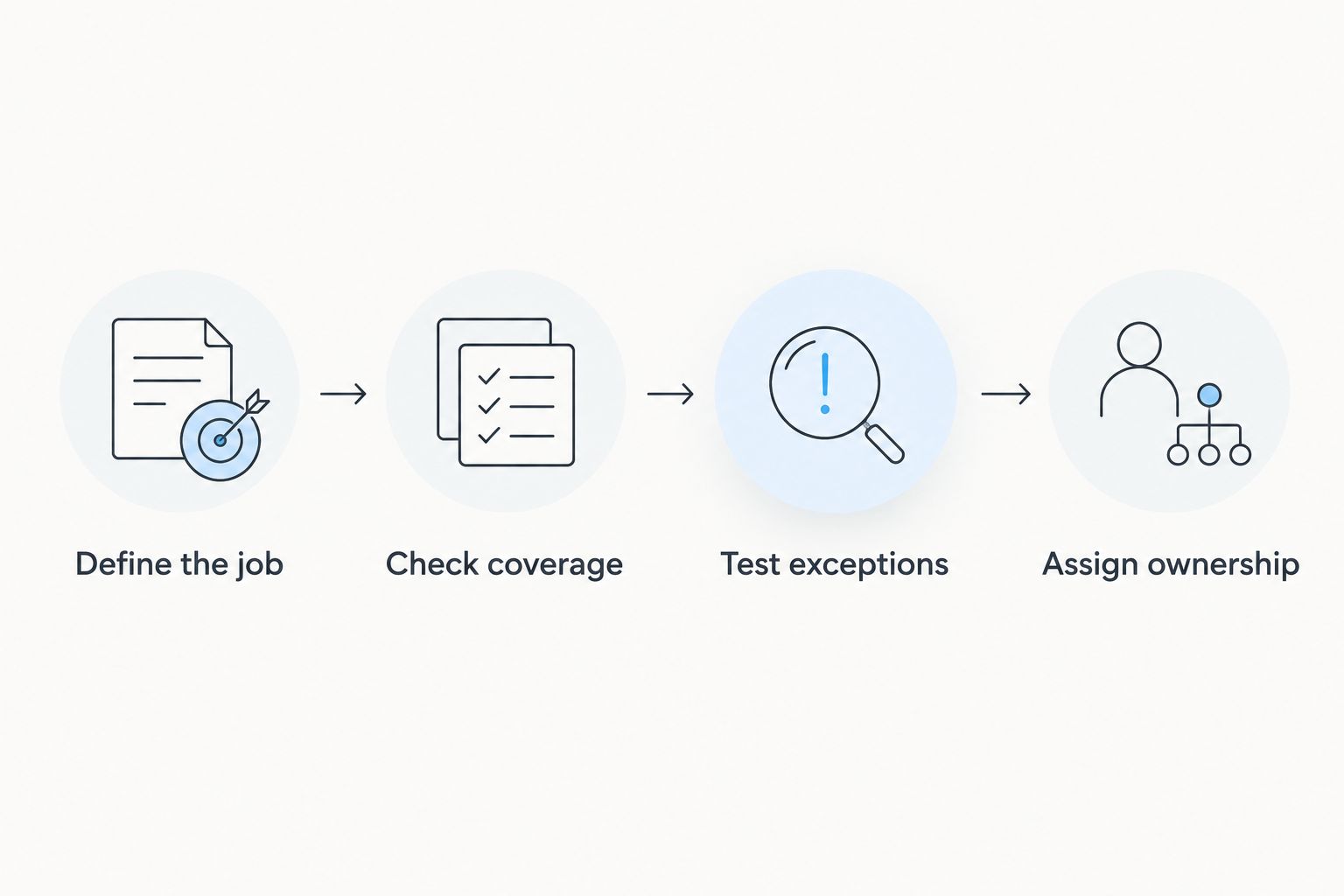
Use a repeatable sequence rather than a feature tour. Each step should produce a clear decision before you move to the next.
Define the job
Write the task you need to automate in one sentence. Keep the sentence specific enough to test: preparing a publishing queue is a different job from routing incoming conversations.
Check coverage
Verify the networks, account types, formats, permissions, and integration actions involved. Use the vendor's current documentation and your actual accounts rather than assuming that a broad compatibility label covers everything.
Test exceptions
Try editing scheduled content, interrupting publication, and handling an incomplete handoff. Your evaluation should include what happens when work changes, not just when the ideal sequence succeeds.
Assign ownership
Name the person responsible for approvals, account access, failed actions, and reporting. Automation needs an owner even when routine steps run without intervention.
A useful 2026 evaluation ends with evidence from your own workflow. Keep a short record of what worked, what needed manual intervention, and which requirement determined the decision. Do not mistake a successful demonstration for a complete operational test.
How these recommendations are ranked
These recommendations use the 5 criteria above: publishing fit, human control, workflow scope, reporting relevance, and operational effort. The order separates use cases rather than claiming that a business-building suite, publishing platform, and integration service perform the same job.
The comparison is a workflow-fit guide, not a measured performance benchmark. There are no invented testing scores, publishing success rates, or time-saving estimates. Verify current product details during your 2026 evaluation because supported networks, permissions, and features can change.
Which social media automation platform should you choose?
Choose Buffer if you are undecided and your main problem is publishing prepared content consistently. Start with that narrow job. Expand the shortlist only when a specific requirement justifies it.
Choose the creator-business suite for broader building and monetization needs, Hootsuite for centralized social operations, Sprout Social for reporting-led work, Later for visual planning, or Zapier for defined cross-app handoffs. Do not combine platforms merely because their feature lists sound complementary; first decide which system owns each task.
Keep the acceptance test simple: can you complete the intended workflow, maintain editorial control, and handle an exception without confusion? If the answer is no, the platform is not the right fit for that job.
FAQ
What's the best social media automation platform in 2026?
Buffer is the best default in this guide for focused social publishing. Choose another platform when your main requirement is broader social management, visual planning, reporting, or cross-app automation.
Which option combines social automation with business-building tools?
Useautoforgeai combines social autopilot with content and business-building tools. Its stated suite includes website and app builders, an AI clone content studio, and course and membership builders.
Is Hootsuite better than Buffer?
Hootsuite is the better fit when you need broader social operations, including inbox management and monitoring. Buffer is the default here when focused publishing is the main requirement.
What's the best choice for visual social content planning?
Later is the visual-planning pick in this guide. Evaluate it with your actual image and video workflow, then verify the publishing formats and networks you require.
Can Zapier replace a social media scheduling platform?
Zapier is not a blanket replacement for a dedicated social publishing platform. It connects supported apps through triggers and actions, so its fit depends on the exact workflow and available integrations.
Should social media posts publish without approval?
Use approval requirements that match the consequences of the content. Keep human review for sensitive claims, customer information, and messages that need editorial judgment.
What should I test before choosing social automation software?
Test a real workflow from preparation through publication or handoff. Include edits, pauses, permissions, and failed actions so your evaluation covers exceptions as well as successful runs.
One last thing
Automate the handoff before automating the judgment. Moving an approved asset into the next stage is a clearer starting point than asking software to decide whether a claim is appropriate to publish.
Write down what must remain human-controlled before your first automation goes live. That boundary gives you a practical buying filter: reject any workflow that makes approval, correction, or stopping publication harder to manage.