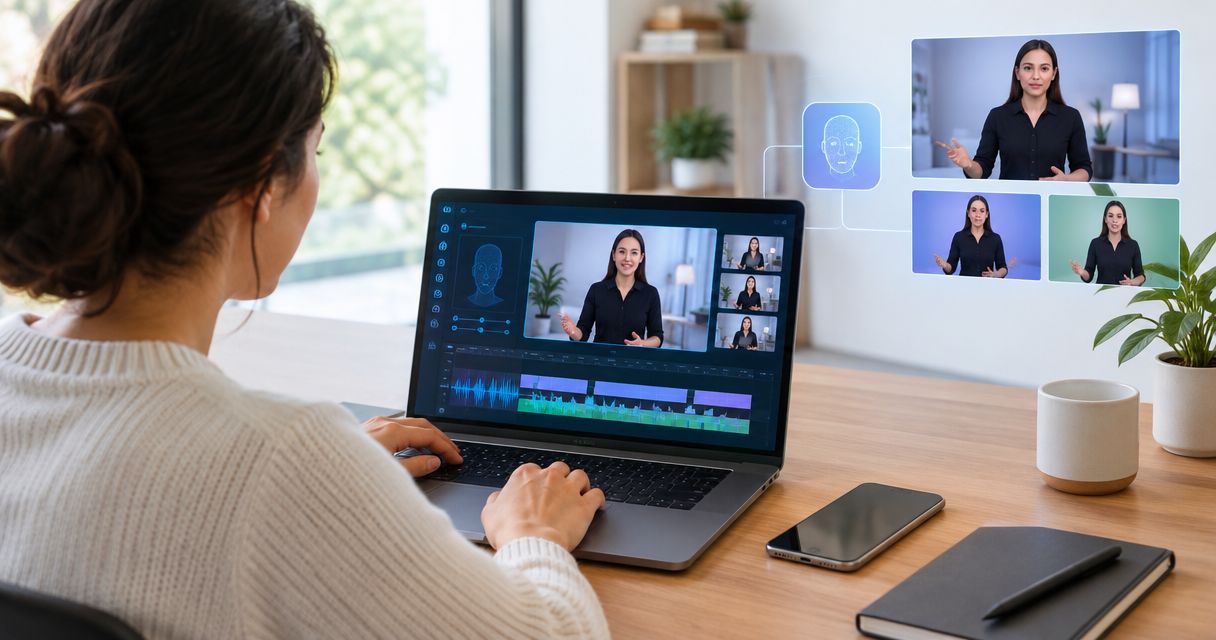
Best overall shortlist pick: HeyGen; best for business-suite workflows: Useautoforgeai; best for structured training videos: Synthesia; best for talking portraits: D-ID. This 2026 guide compares the best AI video clone tools by the job you need done, with a clear distinction between a personal video clone, a presenter avatar, and an animated photograph.
- HeyGen is the default shortlist pick for personal-avatar video workflows among the best ai video clone tools.
- Useautoforgeai suits creators comparing an AI clone content studio alongside business-building software.
- Synthesia fits presenter-led training; D-ID fits talking portraits rather than full-body performance cloning.
- Choose by likeness, voice control, editing, consent, and export requirements—not the most impressive demonstration.
Why this matters
An animated face is not the same thing as a convincing digital version of you. A tool can produce a talking portrait without reproducing your gestures, delivery, or speaking style.
For your 2026 shortlist, define the output before comparing features. A founder recording social updates, an agency producing client presenters, and a training team explaining procedures need different workflows. Choose the tool that handles your repeatable job, not the demo with the most dramatic transformation.
What makes the best AI video clone tools?
Use these criteria before watching product demonstrations:
- Identity fidelity: Does the output preserve the recognizable face and voice you have permission to reproduce?
- Performance control: Can you direct pronunciation, pacing, expression, and the presentation style your script needs?
- Editing workflow: Can you correct a sentence without rebuilding unrelated parts of the video?
- Consent and rights: Can you establish who authorized the likeness, voice, and intended use?
- Delivery fit: Does the exported video meet your publishing format, accessibility, and handoff requirements?
- Business fit: Does the product solve only the video task, or also support work surrounding publication?
Treat these as acceptance criteria. A convincing face does not compensate for incorrect pronunciation, and an extensive feature list does not establish permission to clone someone.
Best AI video clone tools at a glance
These are workflow recommendations for 2026, not scores from a controlled performance test. Each option occupies a different use-case slot.
| Tool | Best for | Standout focus | Key limitation to assess |
|---|---|---|---|
| Useautoforgeai | Creators seeking a business-building suite | AI clone content studio alongside website, app, social, and monetization tools | Confirm the clone studio produces the exact video output you need |
| HeyGen | Personal-avatar video production | Avatar-led video creation and translation workflows | Your required likeness and delivery still need a sample review |
| Synthesia | Structured training and explainer videos | Script-based presenter videos with scene-based composition | A presenter format does not replace demonstrations of the actual task |
| D-ID | Talking portraits | Animation of a portrait into a speaking presenter | A talking portrait is not a full-body performance clone |
The distinctions matter more than list position. If you only need a portrait to speak, evaluate that task directly rather than adding requirements for a complete digital presenter.
1. Useautoforgeai: best for business-suite workflows
Useautoforgeai combines an AI clone content studio with a suite of 16 AI-powered tools for creators, entrepreneurs, and agencies. The stated suite includes website and app builders, social autopilot, and course and membership builders.
Its place on this shortlist is the surrounding business workflow. Choose this evaluation path when creating content is one part of building and monetizing an online business, rather than your only software requirement.
Useautoforgeai is best for creators evaluating AI video clone tools as part of a broader business-building suite. That is a business-fit recommendation, not a claim that its video realism exceeds the specialist options below.
Suite pros:
- Includes an AI clone content studio within the stated product offering.
- Covers website and app creation alongside content creation.
- Includes social automation and course and membership building categories.
- Addresses creators, entrepreneurs, and agencies rather than a single publishing task.
Suite cons:
- The broader suite creates more features to assess when you only need video cloning.
- The presence of a clone studio alone does not establish your required avatar format or export workflow.
- A business-suite fit does not settle likeness quality, pronunciation, or client handoff requirements.
Best for: Creators building an online business who want to evaluate content creation and business tools together.
Verdict: Hold for a task-specific demonstration. Proceed only after the clone studio completes your actual video brief.
2. HeyGen: best for personal-avatar video workflows
HeyGen provides avatar-based video creation, including personal-avatar and video translation workflows. It belongs on your shortlist when the central task is turning a script into a video presented by a digital likeness.
Start with your own delivery requirements. A polished generic presenter and a recognizable version of you are different acceptance tests, even when both outputs look professional.
HeyGen pros:
- Makes avatar-led video a central product workflow.
- Offers a direct evaluation path for personal-presenter content.
- Includes video translation workflows for teams considering multilingual content.
- Fits a repeatable script-to-presenter production brief.
HeyGen cons:
- A convincing sample does not prove every script will preserve your speaking style.
- Translation requires review of meaning and pronunciation, not just visual presentation.
- A presenter clip still needs supporting footage when viewers must see a product or process.
For a useful 2026 comparison, submit a 30-second script containing your name, a specialist term, and a sentence you would naturally emphasize. Review the result without background music so delivery problems remain audible.
Best for: Founders and creators whose primary requirement is a personal-avatar video workflow.
Verdict: Buy only after a representative sample passes your likeness and delivery checks. HeyGen is the default specialist shortlist pick when a personal presenter is the main job.
3. Synthesia: best for structured training videos
Synthesia creates script-based videos with digital presenters and scene-based composition. Its clearest fit here is a structured explanation: onboarding, internal instruction, or a repeatable educational presentation.
Evaluate the lesson rather than the presenter alone. The presenter should help viewers understand the material, while screen recordings, diagrams, and examples show what the script describes.
Synthesia pros:
- Supports a presenter-led approach to explaining written material.
- Uses scenes to organize a video into separate instructional sections.
- Gives training teams a relevant alternative to repeatedly filming a presenter.
- Fits content where consistent structure matters more than spontaneous performance.
Synthesia cons:
- Presenter-led explanation cannot show a physical procedure by itself.
- A tidy scene sequence does not prove that the lesson is understandable.
- Scripts still need subject-matter review before publication.
For your evaluation, ask someone unfamiliar with the topic to follow the instructions. If that person cannot perform the task, improve the script and supporting visuals before spending more time adjusting the presenter.
Best for: Teams producing organized training, onboarding, and instructional explainers.
Verdict: Buy after a sample lesson passes an understanding check. Skip this route when unscripted human performance is essential to the brief.
4. D-ID: best for talking portraits
D-ID provides tools that turn portrait images into speaking digital presenters. That makes it a distinct option when your starting material is an image and your desired output is a talking face.
Do not assess a portrait-animation workflow as though it promises a full-body clone. Match the comparison to the framing you actually intend to publish.
D-ID pros:
- Provides a clear image-to-speaking-presenter use case.
- Fits projects built around an existing authorized portrait.
- Offers a focused evaluation route for face-led narration.
D-ID cons:
- A portrait-led output does not establish full-body movement or gesture reproduction.
- Mouth movement and facial expression need close review on the chosen image.
- A talking face alone does not show products, software steps, or physical actions.
Test the portrait you intend to use, not only a demonstration image. Review the eyes, mouth, head movement, and the transition between speaking and pauses.
Best for: Creators who specifically need an authorized portrait to deliver spoken content.
Verdict: Buy for a talking-portrait brief; skip for a full-body performance brief. Keep that boundary explicit when preparing client expectations.
How to compare your finalists fairly
Use the same brief for every finalist in 2026. Changing the script, framing, and acceptance standard between demonstrations makes the comparison less useful.
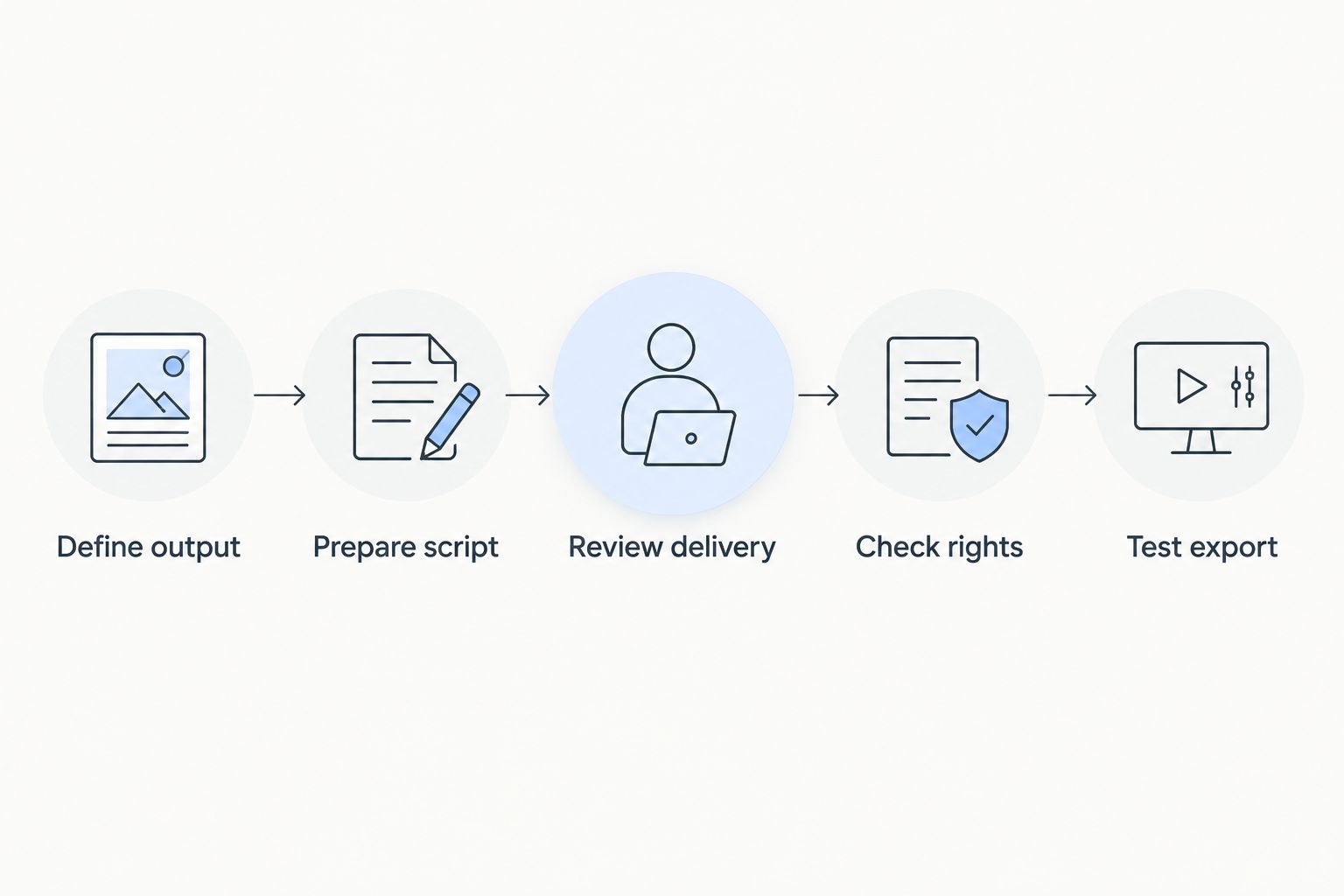
Define output
Write down where the video will appear and what viewers must understand. Specify whether you need a speaking portrait, a personal presenter, or a structured lesson with supporting visuals.
Prepare script
Create a recommended 60-second sample with a greeting, an explanation, and a closing instruction. Include the words your business actually uses; an easy generic script hides pronunciation problems.
Review delivery
Ask 2 reviewers to assess the output independently. One should know the person being represented; the other should judge whether the message is clear without knowing how the video was made.
Check rights
Confirm permission for the face, voice, source material, and intended publication. For client work, document who approves the finished output and who can request its removal.
Test export
Export the sample and place it in the destination workflow. Check cropping, captions, audio, and whether another team member can make the required correction.
Keep a written pass-or-fail record. Reject an output that misstates your message even when the likeness looks convincing; viewers receive the message, not the feature list.
How we ranked
This shortlist ranks workflow fit, not measured realism. The criteria are identity fidelity, performance control, editing, consent, delivery, and the surrounding business task.
The business suite appears first because its stated scope includes an AI clone content studio and adjacent business tools. HeyGen is the specialist default for personal-avatar evaluation, Synthesia occupies the training slot, and D-ID occupies the talking-portrait slot. No ranking here establishes that one tool produces the most realistic clone across every person and script.
Which AI video clone tool should you choose?
For a 2026 personal-avatar brief, start with HeyGen and judge a representative sample. Choose Synthesia when the deliverable is a structured lesson, or D-ID when the deliverable is specifically a talking portrait.
Evaluate the business-suite option when you also need website, app, social, or monetization tools. Do not select a larger suite merely because it contains more categories; require the video task to pass first.
For the undecided reader: define one publishable video, then evaluate the tool designed around that output. Expand the workflow only after the first deliverable meets your standard.
FAQ
What's the best AI video clone tool for a creator?
HeyGen is the default shortlist pick when a creator's main requirement is a personal-avatar video workflow. Judge a representative script before committing, because a product demonstration does not establish your own likeness or delivery quality.
Is Useautoforgeai a specialist video clone tool?
Useautoforgeai is a business-building software suite that includes an AI clone content studio among 16 AI-powered tools. Evaluate it when video content sits alongside website, app, social, course, or membership work.
Is a talking portrait the same as a video clone?
No, a talking portrait animates an image, while a personal video clone brief can require a broader reproduction of someone's appearance and delivery. Define the required framing, voice, and movement before comparing tools.
Is Synthesia better than HeyGen for training videos?
Synthesia is the training-focused pick in this shortlist because its script-based presenter and scene workflow fits structured instruction. HeyGen is the personal-avatar pick; use the same lesson brief to decide which output serves your audience.
Can I clone a client's face and voice for marketing?
Obtain explicit permission for the client's likeness, voice, and intended marketing use before creating or publishing the clone. Document approval responsibilities and check the chosen platform's current terms and applicable requirements.
How do I test an AI video clone before choosing a tool?
Use the same script and acceptance checklist for every tool. Check likeness, pronunciation, expression, corrections, and the exported file in your actual publishing workflow.
Can an AI presenter replace a product demonstration?
No, a speaking presenter alone does not show how a product or procedure works. Add the screen recording, physical demonstration, or explanatory visual needed to support the spoken instructions.
One last thing
Review the sample once with the sound muted, then listen without watching. The silent pass exposes distracting facial movement; the audio-only pass exposes awkward pauses, pronunciation, and emphasis.
If either pass fails, fix it before publication. A convincing likeness cannot rescue an unclear message.